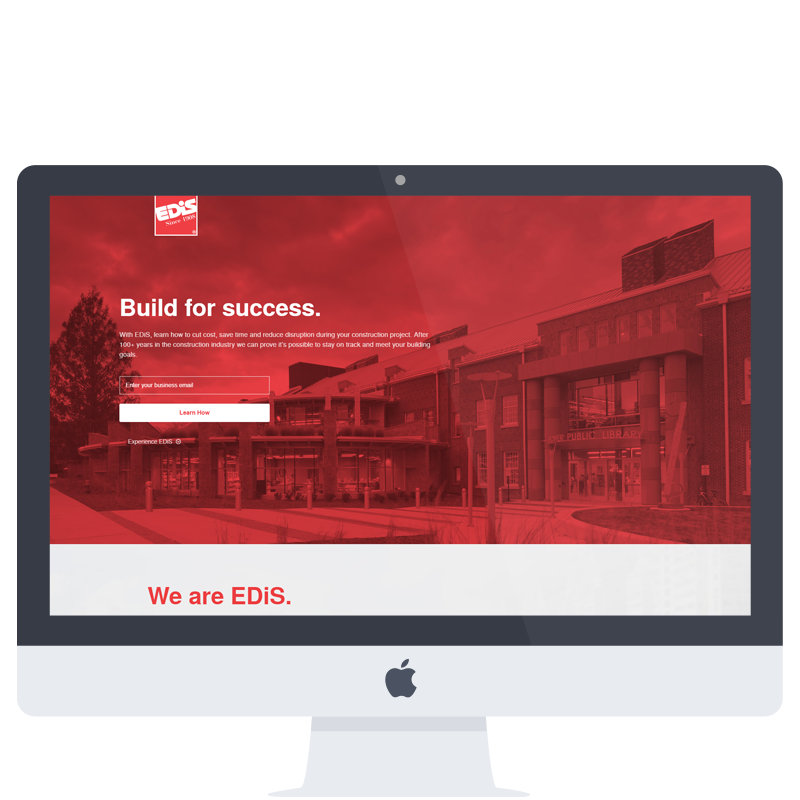
Landing Page Preview & Site Structure
The subsite landing pages use the base template (link below) and each individual page differs based on the topic of the page and the modules that are used.
Page List
– Base
– Build / Construction Specific.
– Plan Specific.
– Operate Specific.
– Legal and Law Firm Specific.
– BIM Specific.
– Get Started (Qualify the lead).
All of the core modules are utilized on the base template and interchange based on the page and user-type. The get started page is a secondary form that is used to extract additional information after initial lead capture.
Modules (differentiated by service phase)
Listed in top-down order, based on base template.
– Hero with simple, email-only signup.
– Introductory statement / EDiS Overview.
– Solutions Gallery.
– Solutions Call to Action.
– Services Value List.
– Services List by Service Phase (Base contains delivery methods).
– ‘What Phase’ Call to Action + Form Takeover Dialog.
– Case Study Section with description, gallery images, and value statement.
– Final Call to Action / Footer.
Click Journey Workflow
The optimal click journey steps that the user will perform in order to become a qualified lead.
Simple Signup Only
- Text ad click on google.com, or image ad click on Google Display Network.
- Simple email capture upon landing on page or at bottom thereof.
- User sent thank you and welcome email on the same day that contains link to portfolio (+3 Hours).
- User clicks on link to portfolio and portfolio categories that are visited are tracked.
- After 3 days of sending initial email, user sent second email to encourage second form submission with new information.
- Lead status upgraded and recorded.
Expanded Signup & Resource Download Request*
- Text ad click on google.com, or image ad click on Google Display Network.
- Expanded form capture through takeover screen dialog on landing page.
- User sent thank you and welcome email on the same day, personalized with personal info captured.
- Second email sent shortly after containing resource requested by user.
- After 3 days of sending initial email, user sent second email to encourage second form submission with new information.
- Lead status upgraded and recorded.
*simple signup occurring does not affect workflow
No Signup or Submission (Did not Bounce – for Remarketing)
- Text ad click on google.com, or image ad click on Google Display Network.
- User fills out shorter Expanded form on a simplified ‘Get Started Page.’
- If Signup: user sent thank you and welcome email on the same day, personalized with personal info captured.
If No Signup: user is scrubbed from Remarketing lists.
Modified Email Design Preview
Automated emails are sent to users based on the form they completed and what page the form was completed on. Merge variables are used to personalize the message for relevancy.
Email #1 – Thank You and Portfolio Link
“Thank you for your interest in the experience and capability of EdiS Company. We look forward to helping you get back to doing what it is you do best with knowledge for the job site and information about construction services that are crucial to achieving your building goals.”
Email #2 – Followup and Link to Form
“It’s never too soon to start planning your next project and, it’s never too late to take advantage of our experience. If your project needs to finish on time and on budget then leverage our experience to get the job done and minimize any impact to your current operation. Tell us more about your project and we’ll recommend a solution that fits your goals. “
Email #3/4 – Resource Download and/or Service-specific
These messages are used to provide access to additional information or to highlight a relevant service.

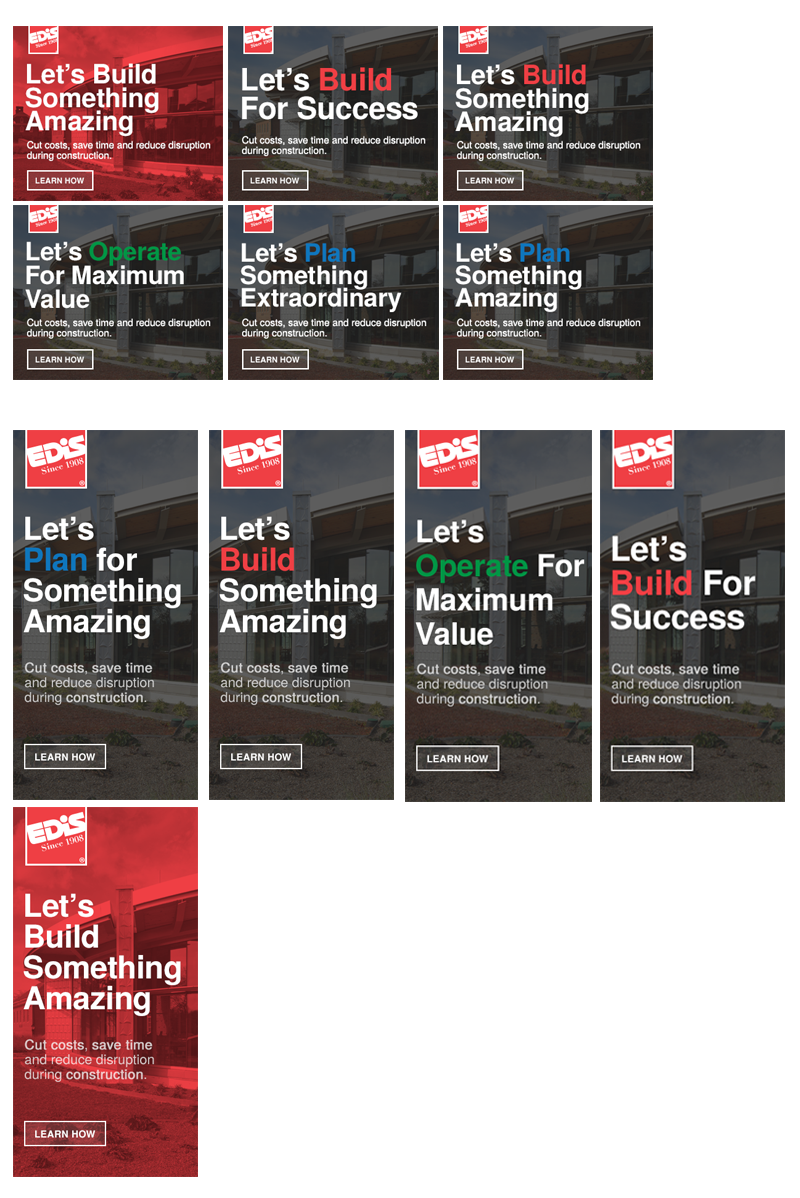
Display Ad Preview
Minor modifications to core display ads to make relevant for different types of queries and highlight branding of service phases.
click image to enlarge
Search/Text Ad Preview
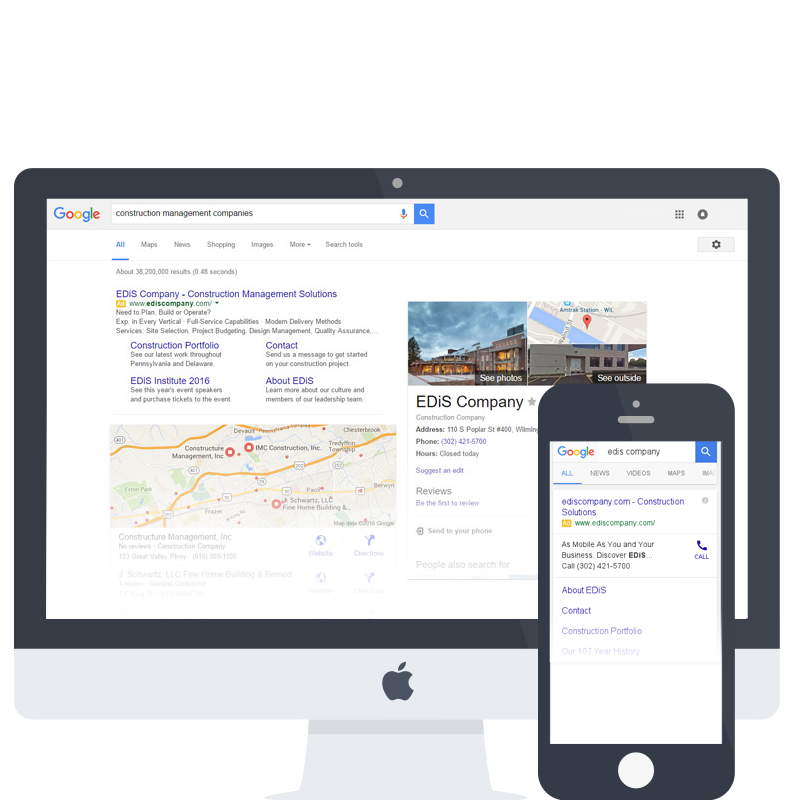
Search/text ads are shown on google.com based on a user query. The ads mirror their display/image ad counterparts mostly. Headlines and sublines use targeted keywords and then are wrapped in relevent copy based on the specificity of the query, and the user’s location.
Desktop Ad Examples:
Delaware Construction
ediscompany.com
EDiS Company in Wilmington.
Ready to Plan, Build and Operate.
Construction Solutions by EDiS Company. – Let’s Plan, Build & Operate Better
ediscompany.com
See Our Experience and Portfolio
Mobile Ad Examples:
PA Construction Solutions
ediscompany.com
As Mobile As You and Your Business.
Discover EDiS Company Today
Resource Download
In the case of a specific query, a user can be encouraged to make a form submission when promised additional value after-the-fact. A simple whitepaper can be then sent to the user if appropriate.